-
Type:
Bug
-
Resolution: Done
-
Priority:
 Medium
-
Affects Version/s: None
-
None
-
AMRIT Sprint 52, AMRIT Sprint 53, Sprint 54, Sprint 55
-
HWC Web App
-
UAT
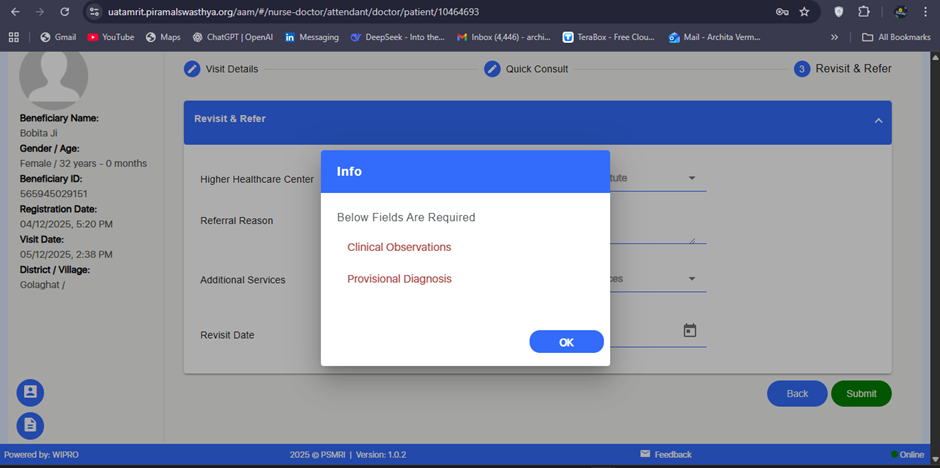
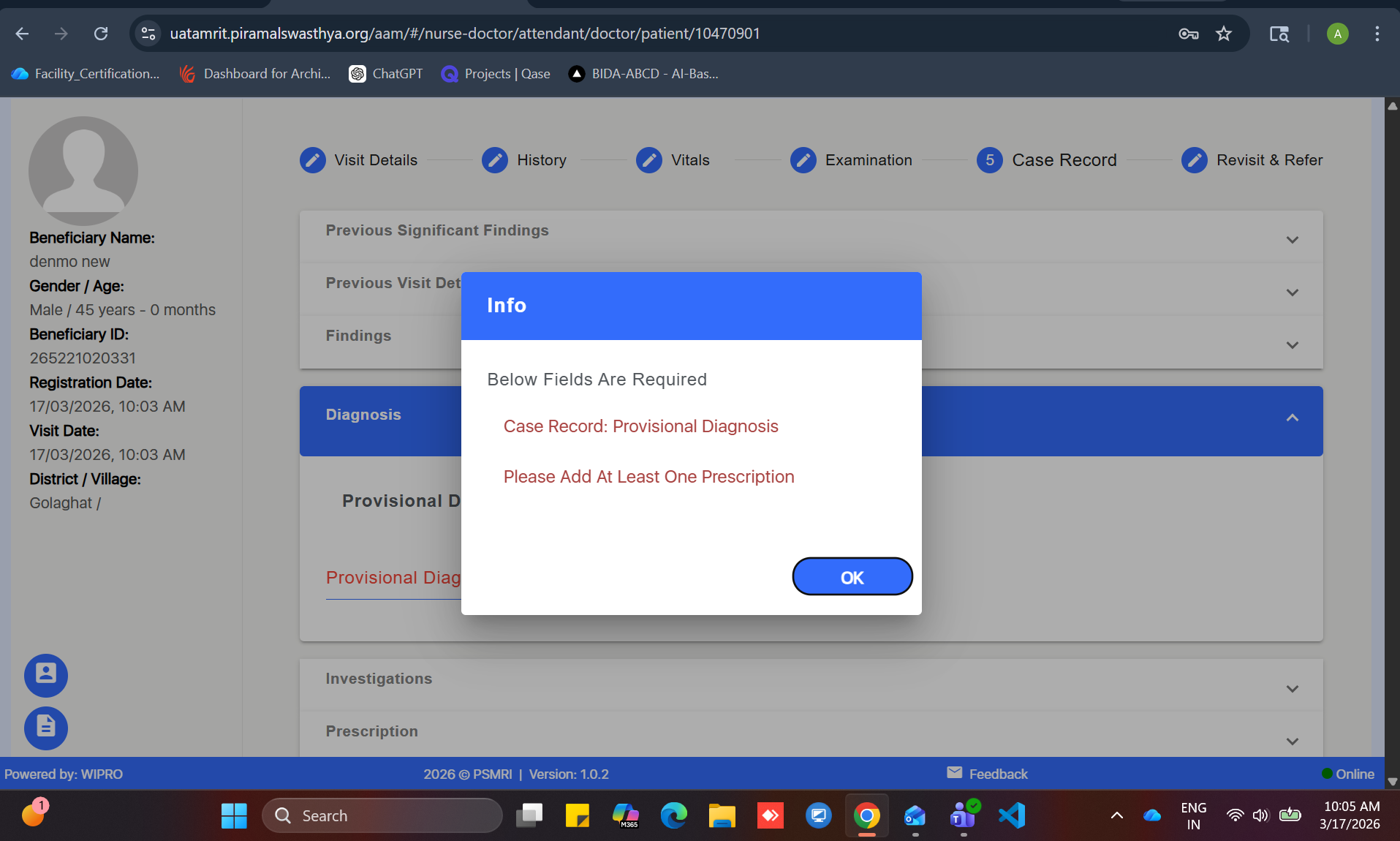
While submitting the form under the Doctor section, a popup message appears stating:
“Below Fields Are Required – Clinical Observation and Provisional Diagnosis.”
However, the Clinical Observation and Provisional Diagnosis fields are located in a previous section, not in the current Doctor section.
This causes confusion for the user, as the popup does not indicate that the required fields are in an earlier section, nor does it navigate the user back to the correct section.
Steps to Reproduce:
- Login to the application.
- Navigate to the workflow until reaching the Doctor section.
- Leave the Clinical Observation or Provisional Diagnosis fields blank in the earlier relevant section.
- Proceed to the Doctor section and click Submit.
- Observe the popup message.
Expected Result:
If mandatory fields in a previous section are incomplete, the system should:
- Display a clear message indicating the exact section where the fields are missing, and/or
- Automatically redirect the user to the correct section to complete the mandatory fields.
Actual Result:
Popup appears in the Doctor section referencing incomplete fields from another section, without navigation or clear guidance, leading to user confusion.