-
Type:
Task
-
Resolution: Done
-
Priority:
 Low
Low
-
Affects Version/s: None
-
None
-
HWC Web App
-
Prod
CHO Report Access via DHIS2 Link
Each (CHO) is assigned a unique authentication code. This code is embedded in the DHIS2 dashboard link, enabling secure autologin for each CHO directly into their personalized report view. For example, the authentication URL format is as follows:
https://dashboards.piramalswasthya.org/dhis-web-public-dashboard/AMRIT_Reports.html
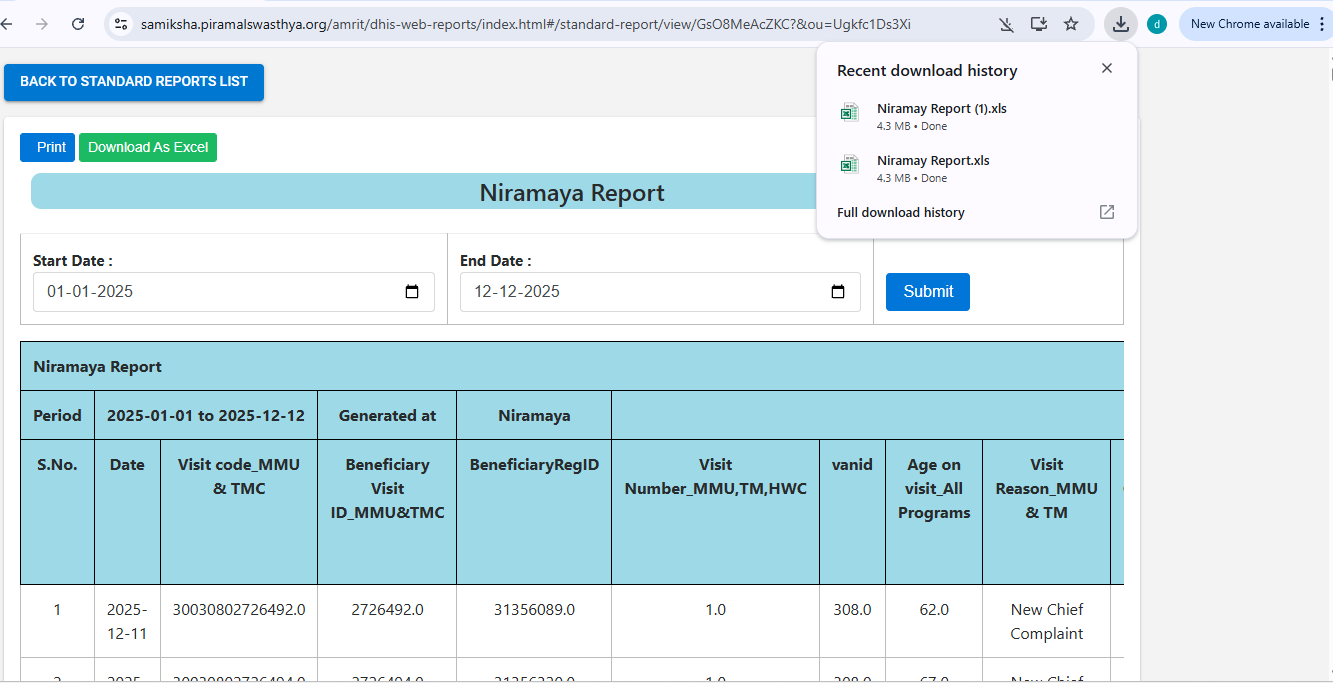
The unique Token ( example : ?auth=QXJhcmlhOkFyYXJpUAy1JA== in the URL is specific to each CHO and ensures secure access. Once a CHO accesses the Report using their link, they can:
- View and filter their report data based on a selected date range.
- Access data up to the previous day.
- Download the report in Excel format for further analysis and record-keeping.
Report Generation Time from DHIS2
The dashboard and reports for CHOs are generated in till yesterday data, so the authenticated link provides instant access to the most recent data available. Data is updated up to the previous day, ensuring timely and relevant information.
- relates to
-
-

- In QA
-