-
Type:
Bug
-
Resolution: Done
-
Priority:
 High
High
-
Affects Version/s: None
-
None
-
AMRIT Sprint 40
-
1097
-
UAT
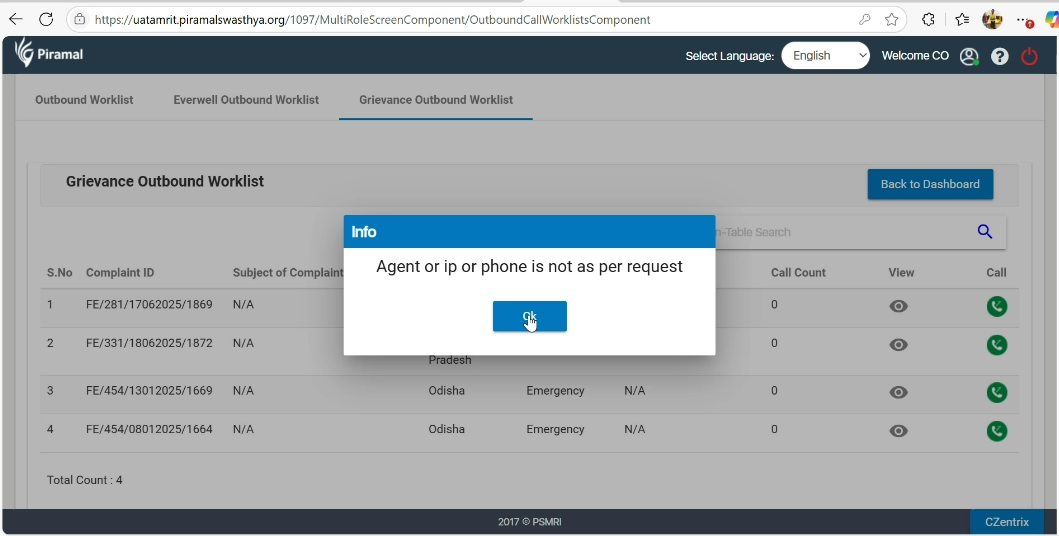
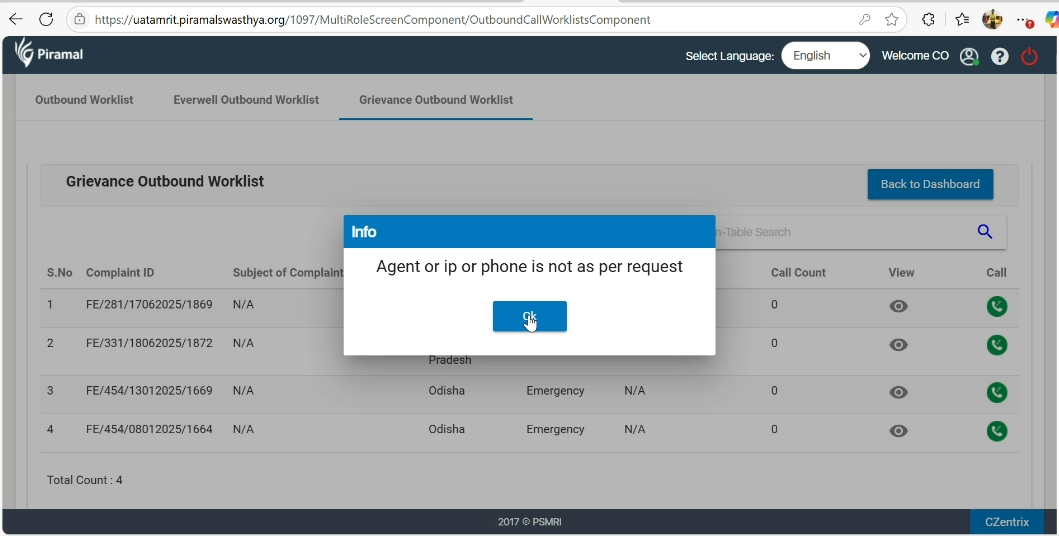
In the Grievance Outbound Worklist of the CO section of 1097, when clicking the Call button to initiate a call, a pop-up message appears stating:
"Agent or IP or Phone is not as per request."
Steps to Reproduce:
- Log in to the CO module.
- Go to Outbound Worklist.
- Under Grievance Outbound worklist.
- Select a record and click the Call button.
- Observe the pop-up message.
Expected Behavior:
The call should initiate without errors if the agent, IP, and phone setup is correct.
Actual Behavior:
A pop-up message is shown